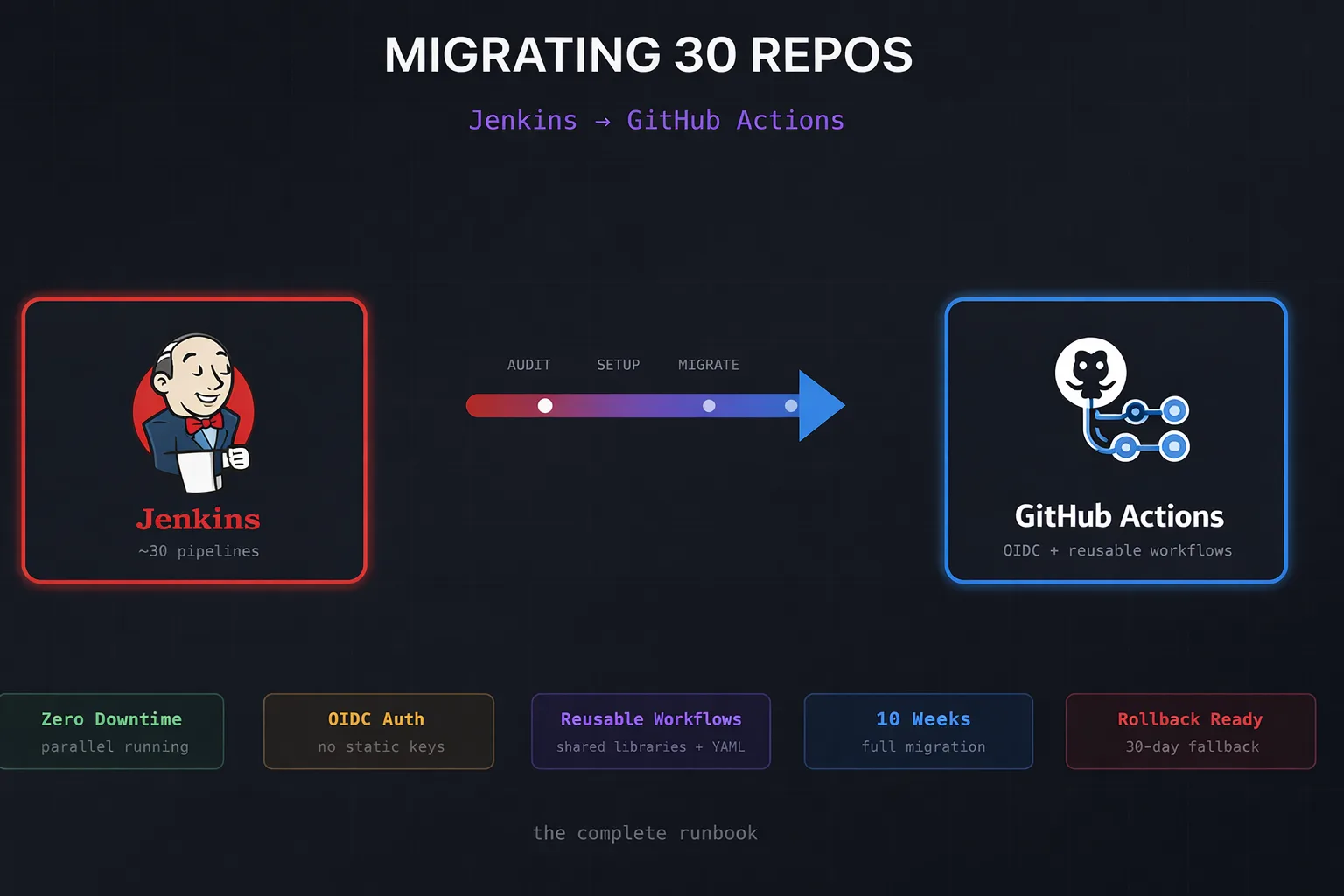
We recently completed a migration of ~30 repositories from Jenkins to GitHub Actions. This wasn’t a greenfield “let’s try GitHub Actions” experiment – it was a full cutover from a Jenkins instance that had been running for years, complete with shared libraries, custom plugins, and credentials scattered across multiple systems.
This post is the runbook we wish we’d had when we started.

Why We Migrated
Jenkins served us well, but the operational burden became untenable:
- Plugin hell – Every upgrade was a gamble. Dependency conflicts, breaking changes, security patches that broke other plugins
- Infrastructure overhead – Maintaining the controller, agents, and the networking between them
- Developer experience – The Jenkinsfile DSL is powerful but hostile to newcomers. PRs sat waiting because only two people could debug pipeline failures
- Credential sprawl – Secrets in Jenkins, secrets in Vault, secrets in environment variables on agents
GitHub Actions eliminates most of this. Managed runners, native GitHub integration, YAML that developers already know, and OIDC for keyless AWS authentication.
The Migration Phases
We broke the migration into five phases over approximately 10 weeks:
| Phase | Duration | Activities |
|---|---|---|
| Discovery | 1 week | Audit Jenkins, document jobs, identify dependencies |
| Setup | 1 week | OIDC, secrets, runners, centralised workflows |
| Migrate | 4–6 weeks | Convert pipelines (batch of 5–6 repos/week) |
| Parallel | 2 weeks | Run both systems, validate parity |
| Cutover | 1 week | Disable Jenkins triggers, archive |
Phase 1: Discovery and Audit
Before touching any pipelines, we needed to understand what we were dealing with.
The Jenkins Audit Script
We wrote a script to crawl Jenkins and produce a migration inventory:
#!/usr/bin/env bash
set -euo pipefail

JENKINS_URL="${JENKINS_URL:?Set JENKINS_URL}"
JENKINS_USER="${JENKINS_USER:?Set JENKINS_USER}"
JENKINS_TOKEN="${JENKINS_TOKEN:?Set JENKINS_TOKEN}"

OUTPUT_DIR="./audit-results"
mkdir -p "$OUTPUT_DIR"

echo "Fetching job list..."
curl -s -u "$JENKINS_USER:$JENKINS_TOKEN" \
  "$JENKINS_URL/api/json?tree=jobs[name,url,color]" \
  | jq -r '.jobs[] | [.name, .url, .color] | @tsv' \
  > "$OUTPUT_DIR/jobs.tsv"

echo "Analysing pipeline types..."
while IFS=$'\t' read -r name url color; do
  config=$(curl -s -u "$JENKINS_USER:$JENKINS_TOKEN" "$url/config.xml" 2>/dev/null || echo "")

  if echo "$config" | grep -q "WorkflowJob"; then
    if echo "$config" | grep -q "pipeline-model-definition"; then
      type="declarative"
    else
      type="scripted"
    fi
  elif echo "$config" | grep -q "FreeStyleProject"; then
    type="freestyle"
  else
    type="unknown"
  fi

  echo -e "$name\t$type\t$color"
done < "$OUTPUT_DIR/jobs.tsv" > "$OUTPUT_DIR/pipeline-types.tsv"

echo "Audit complete. Results in $OUTPUT_DIR/"
What We Found
Our audit revealed:
- 18 declarative pipelines – These convert well with GitHub Actions Importer
- 8 scripted pipelines – Required manual conversion
- 4 freestyle jobs – Simple enough to rewrite from scratch
- 12 shared library functions – Needed conversion to reusable workflows or composite actions
- 47 credentials – Mix of AWS keys, Docker registry creds, Slack tokens, and SSH keys
The scripted pipelines were the biggest concern. GitHub Actions Importer only handles declarative pipelines – anything with node {} blocks or heavy Groovy logic needs manual work.
GitHub Actions Importer
GitHub provides an official tool for automated conversion:
# Install the extension
gh extension install github/gh-actions-importer
gh actions-importer update

# Run an audit first
gh actions-importer audit jenkins \
  --jenkins-instance-url "$JENKINS_URL" \
  --jenkins-username "$JENKINS_USER" \
  --jenkins-access-token "$JENKINS_TOKEN" \
  --output-dir audit-results

# Dry-run a specific job
gh actions-importer dry-run jenkins \
  --source-url "$JENKINS_URL/job/my-app" \
  --output-dir "./migrations/my-app"
The audit output tells you exactly what will and won’t convert automatically. Pay attention to the “manual tasks” section – that’s your real workload.
Phase 2: Infrastructure Setup
OIDC Authentication (No More Long-Lived Keys)
This is the single most important change. Instead of storing AWS access keys as secrets, GitHub Actions can assume IAM roles directly using OIDC federation.
# terraform/modules/github-oidc/main.tf

data "aws_caller_identity" "current" {}

resource "aws_iam_openid_connect_provider" "github" {
  url             = "https://token.actions.githubusercontent.com"
  client_id_list  = ["sts.amazonaws.com"]
  thumbprint_list = ["6938fd4d98bab03faadb97b34396831e3780aea1"]

  tags = {
    Name       = "github-actions-oidc"
    ManagedBy  = "terraform"
  }
}

resource "aws_iam_role" "github_actions" {
  for_each = var.repositories

  name = "github-actions-${replace(each.key, "/", "-")}"

  assume_role_policy = jsonencode({
    Version = "2012-10-17"
    Statement = [
      {
        Effect = "Allow"
        Principal = {
          Federated = aws_iam_openid_connect_provider.github.arn
        }
        Action = "sts:AssumeRoleWithWebIdentity"
        Condition = {
          StringEquals = {
            "token.actions.githubusercontent.com:aud" = "sts.amazonaws.com"
          }
          StringLike = {
            "token.actions.githubusercontent.com:sub" = "repo:${each.key}:*"
          }
        }
      }
    ]
  })

  tags = {
    Repository = each.key
    ManagedBy  = "terraform"
  }
}

# Attach policies per repository
resource "aws_iam_role_policy_attachment" "github_actions" {
  for_each = var.repositories

  role       = aws_iam_role.github_actions[each.key].name
  policy_arn = each.value.policy_arn
}
Usage in workflows:
permissions:
  id-token: write
  contents: read

jobs:
  deploy:
    runs-on: ubuntu-latest
    steps:
      - uses: aws-actions/configure-aws-credentials@v4
        with:
          role-to-assume: arn:aws:iam::123456789012:role/github-actions-myorg-myrepo
          aws-region: eu-west-1
No secrets. No rotation. No leaked keys in logs. The role assumption is scoped to specific repositories and branches.
Secrets Migration
Secrets don’t migrate automatically – the GitHub Actions Importer converts the references but not the values. You need to manually transfer each credential.
#!/usr/bin/env bash
# migrate-secrets.sh

set -euo pipefail

SECRETS_FILE="${1:?Usage: migrate-secrets.sh <secrets.json>}"
TARGET_ORG="${2:?Usage: migrate-secrets.sh <secrets.json> <org>}"

while read -r secret; do
  name=$(echo "$secret" | jq -r '.name')
  scope=$(echo "$secret" | jq -r '.scope')

  case "$scope" in
    "org")
      echo "Creating org secret: $name"
      gh secret set "$name" --org "$TARGET_ORG" --body "PLACEHOLDER"
      ;;
    "repo")
      repo=$(echo "$secret" | jq -r '.repo')
      echo "Creating repo secret: $name for $repo"
      gh secret set "$name" --repo "$TARGET_ORG/$repo" --body "PLACEHOLDER"
      ;;
  esac
done < <(jq -c '.[]' "$SECRETS_FILE")

echo ""
echo "⚠️  Secrets created with PLACEHOLDER values."
echo "   Update them manually via: gh secret set <name> --repo <repo>"
We deliberately set placeholder values and required manual update – this forces someone to verify each secret is still needed and has the correct scope.
Centralised Reusable Workflows
One of Jenkins’ strengths was shared libraries. In GitHub Actions, the equivalent is reusable workflows stored in a central repository:
# .github/workflows/docker-build.yml (in your .github repo)
name: Docker Build and Push

on:
  workflow_call:
    inputs:
      image_name:
        required: true
        type: string
      dockerfile:
        required: false
        type: string
        default: "Dockerfile"
      context:
        required: false
        type: string
        default: "."
    secrets:
      REGISTRY_PASSWORD:
        required: true

jobs:
  build:
    runs-on: ubuntu-latest
    permissions:
      id-token: write
      contents: read
      packages: write

    steps:
      - uses: actions/checkout@v4

      - name: Set up Docker Buildx
        uses: docker/setup-buildx-action@v3

      - name: Login to GHCR
        uses: docker/login-action@v3
        with:
          registry: ghcr.io
          username: ${{ github.actor }}
          password: ${{ secrets.GITHUB_TOKEN }}

      - name: Extract metadata
        id: meta
        uses: docker/metadata-action@v5
        with:
          images: ghcr.io/${{ github.repository_owner }}/${{ inputs.image_name }}
          tags: |
            type=sha,prefix=
            type=ref,event=branch
            type=semver,pattern={{version}}

      - name: Build and push
        uses: docker/build-push-action@v5
        with:
          context: ${{ inputs.context }}
          file: ${{ inputs.dockerfile }}
          push: true
          tags: ${{ steps.meta.outputs.tags }}
          labels: ${{ steps.meta.outputs.labels }}
          cache-from: type=gha
          cache-to: type=gha,mode=max
Calling it from other repositories:
jobs:
  build:
    uses: myorg/.github/.github/workflows/docker-build.yml@main
    with:
      image_name: my-service
    secrets: inherit
Phase 3: Pipeline Migration
We migrated in batches of 5–6 repositories per week, prioritising by risk:
- Low risk first – Internal tools, non-production workloads
- Medium risk – Staging deployments, batch jobs
- High risk last – Production deployments, customer-facing services
Common Jenkinsfile to GitHub Actions Mappings
# Jenkins environment variables → GitHub contexts
# env.BUILD_NUMBER    → ${{ github.run_number }}
# env.GIT_COMMIT      → ${{ github.sha }}
# env.BRANCH_NAME     → ${{ github.ref_name }}
# env.JOB_NAME        → ${{ github.job }}
# env.WORKSPACE       → ${{ github.workspace }}

# Jenkins stages → GitHub jobs
# stage('Build')      → jobs: build:
# stage('Test')       → jobs: test: needs: build
# stage('Deploy')     → jobs: deploy: needs: test

# Jenkins parallel    → GitHub matrix
# parallel {          → strategy:
#   stage('A') {}     →   matrix:
#   stage('B') {}     →     target: [a, b]
# }
Handling Scripted Pipelines
Scripted pipelines require manual conversion. Here’s a real example:
Before (Jenkins scripted):
node('docker') {
    checkout scm

    def image
    stage('Build') {
        image = docker.build("myapp:${env.BUILD_NUMBER}")
    }

    stage('Test') {
        image.inside {
            sh 'npm test'
        }
    }

    if (env.BRANCH_NAME == 'main') {
        stage('Deploy') {
            withCredentials([usernamePassword(
                credentialsId: 'docker-hub',
                usernameVariable: 'DOCKER_USER',
                passwordVariable: 'DOCKER_PASS'
            )]) {
                sh 'docker login -u $DOCKER_USER -p $DOCKER_PASS'
                image.push()
                image.push('latest')
            }
        }
    }
}
After (GitHub Actions):
name: Build and Deploy

on:
  push:
    branches: [main, develop]
  pull_request:
    branches: [main]

jobs:
  build:
    runs-on: ubuntu-latest
    outputs:
      image_tag: ${{ steps.meta.outputs.tags }}
    steps:
      - uses: actions/checkout@v4

      - name: Set up Docker Buildx
        uses: docker/setup-buildx-action@v3

      - name: Extract metadata
        id: meta
        uses: docker/metadata-action@v5
        with:
          images: myorg/myapp
          tags: |
            type=raw,value=${{ github.run_number }}
            type=raw,value=latest,enable=${{ github.ref == 'refs/heads/main' }}

      - name: Build
        uses: docker/build-push-action@v5
        with:
          context: .
          load: true
          tags: ${{ steps.meta.outputs.tags }}
          cache-from: type=gha
          cache-to: type=gha,mode=max

      - name: Test
        run: |
          docker run --rm myorg/myapp:${{ github.run_number }} npm test

  deploy:
    needs: build
    if: github.ref == 'refs/heads/main'
    runs-on: ubuntu-latest
    steps:
      - name: Login to Docker Hub
        uses: docker/login-action@v3
        with:
          username: ${{ secrets.DOCKER_USERNAME }}
          password: ${{ secrets.DOCKER_PASSWORD }}

      - name: Push
        run: |
          docker push myorg/myapp:${{ github.run_number }}
          docker push myorg/myapp:latest
Phase 4: Parallel Running
This is the phase most teams skip – and then regret. We ran both systems for two weeks before cutover.
Architecture During Parallel Running
┌──────────────┐     push/PR      ┌──────────────────┐
│   GitHub     │─────────────────▶│  GitHub Actions  │
│   Webhook    │                  │  (new workflows) │
└──────────────┘                  └──────────────────┘
       │
       ▼
┌──────────────┐                  ┌──────────────────┐
│   Jenkins    │─────────────────▶│  Jenkins Jobs    │
│   Webhook    │                  │  (existing)      │
└──────────────┘                  └──────────────────┘
Both systems triggered on every push. We compared:
- Build success/failure parity
- Test results
- Artifact checksums (where applicable)
- Build duration (GitHub Actions was ~15% faster on average due to better caching)
Validation Script
#!/usr/bin/env bash
# validate-migration.sh

set -euo pipefail

JENKINS_BUILD="${1:?Provide Jenkins build number}"
GHA_RUN="${2:?Provide GitHub Actions run ID}"
REPO="${3:?Provide repo name}"

echo "Comparing Jenkins build #$JENKINS_BUILD with GHA run #$GHA_RUN"

# Fetch Jenkins result
jenkins_result=$(curl -s -u "$JENKINS_USER:$JENKINS_TOKEN" \
  "$JENKINS_URL/job/$REPO/$JENKINS_BUILD/api/json" \
  | jq -r '.result')

# Fetch GHA result
gha_result=$(gh run view "$GHA_RUN" --repo "$REPO" --json conclusion -q '.conclusion')

echo "Jenkins: $jenkins_result"
echo "GHA:     $gha_result"

if [[ "$jenkins_result" == "SUCCESS" && "$gha_result" == "success" ]]; then
  echo "✅ Both succeeded"
elif [[ "$jenkins_result" == "FAILURE" && "$gha_result" == "failure" ]]; then
  echo "✅ Both failed (expected parity)"
else
  echo "❌ Mismatch detected"
  exit 1
fi
What Parallel Running Caught
During parallel running, we discovered:
- Timezone differences – Jenkins agents were UTC, GitHub runners are also UTC, but our scheduled jobs had hardcoded times assuming BST
- Missing environment variables – Three jobs relied on env vars set globally in Jenkins that we’d missed
- Flaky tests – Tests that passed on Jenkins but failed on GitHub Actions (turned out to be filesystem ordering assumptions)
- Rate limiting – One workflow hit Docker Hub rate limits because we hadn’t configured authenticated pulls
All of these would have been production incidents if we’d cut over directly.
Phase 5: Cutover
Once parallel running showed consistent parity, we scheduled the cutover:
#!/usr/bin/env bash
# cutover.sh

set -euo pipefail

COMMAND="${1:-help}"
REPO="${2:-}"

case "$COMMAND" in
  disable-jenkins-triggers)
    echo "Disabling Jenkins webhooks..."
    # Remove GitHub webhook from Jenkins
    # This is Jenkins-specific; adjust for your setup
    ;;

  verify-gha-triggers)
    echo "Verifying GitHub Actions workflows..."
    for repo in $(cat repos.txt); do
      workflows=$(gh workflow list --repo "$repo" --json name -q '.[].name')
      if [[ -z "$workflows" ]]; then
        echo "❌ No workflows found in $repo"
        exit 1
      fi
      echo "✅ $repo: $workflows"
    done
    ;;

  archive-jenkins-jobs)
    echo "Archiving Jenkins jobs..."
    # Disable jobs but don't delete – keep for audit trail
    ;;

  *)
    echo "Usage: cutover.sh <disable-jenkins-triggers|verify-gha-triggers|archive-jenkins-jobs>"
    ;;
esac
Cutover Day Checklist
- Notify team in Slack
- Disable Jenkins webhooks (but keep jobs runnable manually)
- Verify GitHub Actions triggers are active
- Run one build per repo to confirm
- Monitor for 4 hours
- Archive Jenkins jobs (don’t delete for 30 days)
- Update runbooks and documentation
Rollback Plan
We kept Jenkins runnable for 30 days post-cutover. The rollback procedure:
# Per-repo rollback
REPO="myorg/problem-repo"

# 1. Disable GitHub Actions workflows
gh workflow disable build.yml --repo "$REPO"
gh workflow disable deploy.yml --repo "$REPO"

# 2. Re-enable Jenkins webhook
# (Jenkins-specific – depends on your webhook configuration)

# 3. Trigger a Jenkins build to verify
curl -X POST -u "$JENKINS_USER:$JENKINS_TOKEN" \
  "$JENKINS_URL/job/${REPO//\//-}/build"
We never needed it, but having the option reduced the pressure on cutover day.
What We’d Do Differently
Start with OIDC from Day One
We initially migrated some repos with static AWS credentials, then had to circle back and convert them to OIDC. Should have done OIDC first for all repositories.
Invest More in Composite Actions
We created reusable workflows but underutilised composite actions. For smaller shared logic (like “set up our standard tools”), composite actions are more flexible:
# actions/setup-tools/action.yml
name: Setup Tools
description: Install standard build tools

inputs:
  node_version:
    description: Node.js version
    required: false
    default: '20'
  install_terraform:
    description: Install Terraform
    required: false
    default: 'false'

runs:
  using: composite
  steps:
    - name: Setup Node.js
      uses: actions/setup-node@v4
      with:
        node-version: ${{ inputs.node_version }}
        cache: npm

    - name: Setup Terraform
      if: inputs.install_terraform == 'true'
      uses: hashicorp/setup-terraform@v3
Audit Shared Library Usage First
Our Jenkins shared libraries were used inconsistently. Some repos called functions that didn’t exist anymore. We should have audited actual usage, not just the library code.
Final Thoughts
The migration took longer than expected (10 weeks instead of the 6 we’d planned) but the result is worth it:
- No more Jenkins maintenance – No plugins to update, no agents to manage
- Faster feedback – Build times dropped 15% on average due to better caching
- Better developer experience – Everyone can read and modify YAML; Groovy expertise is no longer a bottleneck
- Improved security – OIDC means no long-lived credentials, and secrets are scoped to repositories
If you’re planning a similar migration, the key insight is: don’t skip parallel running. The two weeks of running both systems caught issues that would have been outages in production.
The full migration toolkit (Terraform modules, scripts, reusable workflows) is available in the companion repository. Fork it, adapt it to your environment, and save yourself the weeks of yak-shaving we went through.
Have questions about the migration? Find me on LinkedIn or drop a comment below.