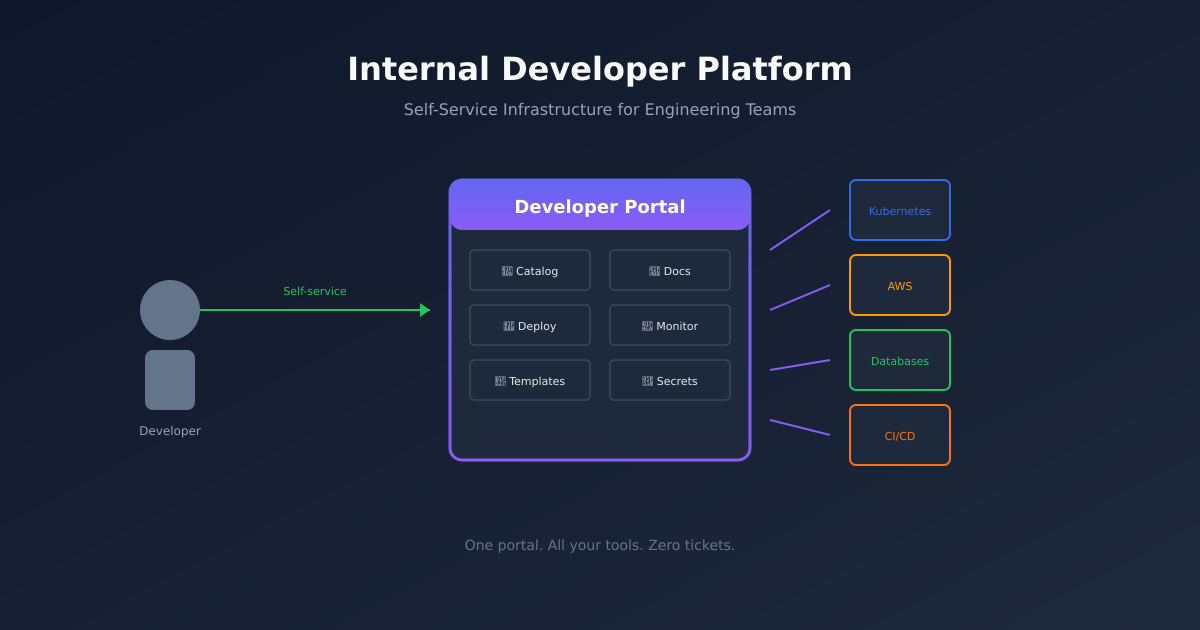
Everyone wants an Internal Developer Platform now. The pitch is compelling: a single place where developers can provision infrastructure, deploy services, and find documentation. Self-service everything. No more tickets. No more waiting.
The reality is messier. Most IDP projects fail. Not because the technology doesn’t work, but because building a platform is an organisational challenge disguised as a technical one.
Here’s what I’ve learned from building IDPs at companies ranging from 50 to 500 engineers.

What an IDP Actually Is
An Internal Developer Platform is a product. Your developers are the customers. The platform team is the product team.
At its core, an IDP provides:
- Service catalog - What services exist, who owns them, how to contact the team
- Self-service provisioning - Spin up databases, queues, storage without filing tickets
- Deployment pipelines - Ship code with a few clicks or a git push
- Documentation - API specs, runbooks, architecture diagrams in one place
- Visibility - What’s deployed where, what’s the status, who changed what
You don’t need all of this on day one. Start with what hurts most.
Build vs Buy
Before writing code, decide what you’re building.
Full platform from scratch - Years of work. Requires dedicated team. Only makes sense at very large scale.
Backstage + customisation - Months of work. Backstage provides the shell, you build plugins for your specific tooling.
Commercial platforms - Port, Humanitec, Cortex, etc. Weeks to deploy. Less customisation, faster time to value.
My default recommendation: start with Backstage unless you have specific reasons not to.
Backstage is open source (backed by Spotify and the CNCF), has a large ecosystem of plugins, and gives you full control. The tradeoff is you need engineers to run it. If you don’t have platform engineers, look at commercial options.
Starting with Backstage
Backstage is a React application with a plugin architecture. You install it, add plugins for your tooling, and customise the UI to fit your organisation.
Let’s set up a basic installation.
# Create a new Backstage app
npx @backstage/create-app@latest

# The wizard asks for an app name
# Enter something like "developer-portal"

cd developer-portal

# Start the development server
yarn dev
Open http://localhost:3000. You’ll see a basic portal with a service catalog, documentation, and some example entities.
Out of the box, Backstage doesn’t do much. The power comes from plugins and configuration.
The Software Catalog
The catalog is the foundation. It’s a registry of everything: services, APIs, resources, teams, systems.
Entities are defined in YAML files, typically stored alongside your code:
apiVersion: backstage.io/v1alpha1
kind: Component
metadata:
  name: user-service
  description: Handles user authentication and profile management
  annotations:
    github.com/project-slug: your-org/user-service
    backstage.io/techdocs-ref: dir:.
  tags:
    - python
    - api
spec:
  type: service
  lifecycle: production
  owner: team-platform
  system: user-management
  dependsOn:
    - resource:default/postgres-users
    - component:default/auth-service
  providesApis:
    - user-api
This file lives in the repository as catalog-info.yaml. Backstage discovers it automatically (with the right integration configured).
Key fields explained:
- name - Unique identifier for the component
- owner - Team responsible for this component
- system - The larger system this component belongs to
- dependsOn - Other entities this depends on
- providesApis - APIs this component exposes
The relationship graph is powerful. Click on a service and see its dependencies, documentation, recent deployments, and on-call info. This alone is worth the setup cost.
Integrating with Your Stack
Backstage plugins connect to your existing tools. Here are the ones most teams need:
GitHub/GitLab - Pull in repository information, show recent commits, display CI status.
// In packages/app/src/App.tsx
import { githubActionsPlugin } from '@backstage/plugin-github-actions';

// Register the plugin
Kubernetes - Show what’s deployed, pod status, resource usage.
import { kubernetesPlugin } from '@backstage/plugin-kubernetes';PagerDuty/Opsgenie - Display on-call schedules, recent incidents.
ArgoCD - Show deployment status, sync state, rollback options.
Terraform Cloud - Display infrastructure state, recent runs.
Each plugin has its own setup. The pattern is usually:
- Install the plugin package
- Add configuration to
app-config.yaml - Register the plugin in your app
- Add annotations to your catalog entities
Templates for Self-Service
Backstage scaffolder lets developers create new services from templates. This is where the “golden path” becomes real.
Create a template that provisions everything a new service needs:
apiVersion: scaffolder.backstage.io/v1beta3
kind: Template
metadata:
  name: new-python-service
  title: Create Python Service
  description: Scaffold a new Python service with CI/CD, monitoring, and deployment config
spec:
  owner: team-platform
  type: service
  parameters:
    - title: Service Details
      required:
        - name
        - owner
      properties:
        name:
          title: Name
          type: string
          description: Service name (lowercase, no spaces)
          pattern: '^[a-z0-9-]+$'
        owner:
          title: Owner
          type: string
          description: Team that owns this service
          ui:field: OwnerPicker
        description:
          title: Description
          type: string
  steps:
    - id: fetch
      name: Fetch Template
      action: fetch:template
      input:
        url: ./skeleton
        values:
          name: ${{ parameters.name }}
          owner: ${{ parameters.owner }}
          description: ${{ parameters.description }}

    - id: publish
      name: Create Repository
      action: publish:github
      input:
        allowedHosts: ['github.com']
        repoUrl: github.com?owner=your-org&repo=${{ parameters.name }}
        description: ${{ parameters.description }}
        defaultBranch: main

    - id: register
      name: Register Component
      action: catalog:register
      input:
        repoContentsUrl: ${{ steps.publish.output.repoContentsUrl }}
        catalogInfoPath: /catalog-info.yaml

  output:
    links:
      - title: Repository
        url: ${{ steps.publish.output.remoteUrl }}
      - title: Open in catalog
        icon: catalog
        entityRef: ${{ steps.register.output.entityRef }}
The template wizard walks developers through creating a service. Behind the scenes, it:
- Creates a repository from a template
- Sets up CI/CD pipelines
- Provisions infrastructure (via Terraform or Crossplane)
- Registers the service in the catalog
New service in five minutes, fully integrated with your standards.
The Organisational Challenge
Here’s where most IDPs fail. The technology works. Nobody uses it.
Problem 1: Building in isolation.
Platform teams often build what they think developers need without asking. By the time they launch, the platform solves yesterday’s problems.
Fix: Embed with development teams. Pair with them. Watch them work. Build based on observed pain, not assumed pain.
Problem 2: No migration path.
Launching an IDP doesn’t magically migrate existing services. If developers have to do work to adopt the platform, most won’t.
Fix: Provide migration tooling. Write scripts that generate catalog entries from existing configs. Make adoption trivially easy.
Problem 3: Second-system syndrome.
The platform becomes more complex than the tools it replaces. Configuration in three places. Two ways to deploy. Confusion about what’s canonical.
Fix: Ruthless simplification. If a workflow exists outside the platform, either bring it in or explicitly deprecate it. Never have two ways to do the same thing.
Problem 4: No investment in documentation.
The platform exists, but nobody knows how to use it. Onboarding is “ask someone who knows.”
Fix: Treat docs as a feature. If it’s not documented, it doesn’t exist. Invest in tutorials, examples, and searchable references.
Measuring Success
How do you know if your IDP is working?
Adoption rate - What percentage of services are in the catalog? What percentage of deployments go through the platform?
Time to first deploy - How long from “join the company” to “deploy to production”? This should decrease.
Ticket volume - Are developers filing fewer tickets for infrastructure requests? Self-service should reduce toil.
Developer satisfaction - Survey developers regularly. Do they find the platform helpful? What’s frustrating?
The metrics you track shape what you build. If you only measure ticket volume, you might build a platform that’s fast but confusing.
A Realistic Timeline
Here’s what a typical IDP build looks like:
Month 1-2: Foundation
- Install Backstage
- Integrate with GitHub
- Import existing services to catalog
- Basic documentation
Month 3-4: Core workflows
- Template for new services
- CI/CD integration
- Kubernetes deployment visibility
Month 5-6: Self-service
- Database provisioning
- Environment management
- Secrets management
Month 7+: Polish and expansion
- Additional integrations
- Custom plugins for internal tools
- Continuous improvement based on feedback
This assumes 2-3 engineers working on the platform. More engineers don’t necessarily mean faster progress - there’s significant coordination overhead.
When Not to Build an IDP
Not every company needs an IDP.
Small teams (< 20 engineers) - The overhead isn’t worth it. Use good documentation and simple scripts.
No platform engineers - An IDP needs maintenance. If nobody’s dedicated to it, it’ll rot.
Rapidly changing architecture - If you’re still figuring out your tech stack, an IDP will lock in the wrong decisions.
Low developer friction - If developers aren’t complaining about tooling, focus elsewhere.
The best IDPs solve real problems. If the problem doesn’t exist, the solution won’t either.
The Long Game
Building an IDP is a multi-year journey. The first version will be wrong. You’ll rebuild parts of it. That’s normal.
The goal isn’t a perfect platform on day one. It’s a continuous improvement loop: build, measure, learn, iterate.
The best IDPs I’ve seen don’t feel like platforms at all. They feel like the obvious way to do things. The golden path is so good that nobody wants to leave it.
That’s the target. It takes time to get there.