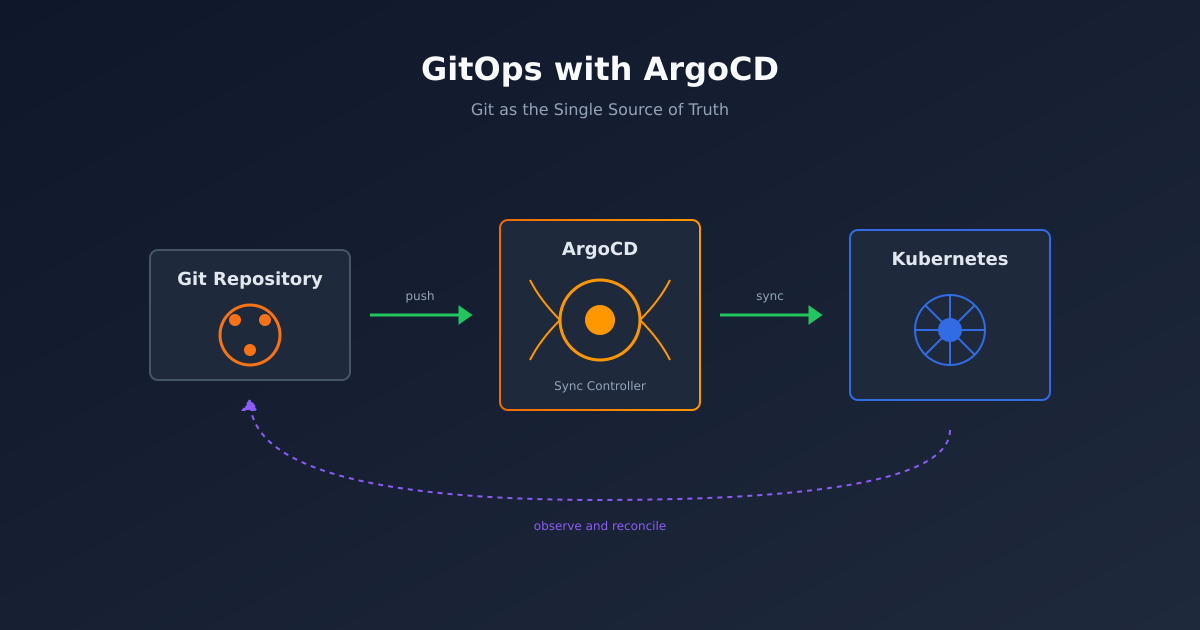
GitOps sounds simple: your Git repository is the source of truth, and a controller continuously reconciles your cluster to match. In practice, there’s a lot of nuance that the tutorials skip.
This guide covers how I set up ArgoCD for production use. Not the happy path from the docs - the stuff you actually need to know.

Why ArgoCD
There are three main GitOps controllers: ArgoCD, Flux, and Rancher Fleet. I’ve used all three, and here’s why I default to ArgoCD.
ArgoCD has a UI. I know, we’re supposed to be past needing UIs. But when something’s broken at 2am, having a visual representation of what’s deployed where is invaluable. Flux is CLI-only, and while that’s fine for day-to-day operations, it slows down incident response.
ArgoCD also has the best ecosystem. ApplicationSets, the App of Apps pattern, and extensive plugin support make it suitable for complex setups. Flux is catching up, but ArgoCD has been production-ready longer.
That said, if your team is already invested in Flux or you want something lighter-weight, both are solid choices. The GitOps principles matter more than the specific tool.
Installation
Let’s start with a production-ready installation. I’m assuming you have a Kubernetes cluster and kubectl configured.
We’ll use Helm because it makes upgrades and configuration management easier than raw manifests.
# Add the ArgoCD Helm repository
helm repo add argo https://argoproj.github.io/argo-helm
helm repo update

# Create the namespace
kubectl create namespace argocd

# Install ArgoCD with production settings
helm install argocd argo/argo-cd \
  --namespace argocd \
  --set server.extraArgs={--insecure} \
  --set configs.params."server\.insecure"=true \
  --set controller.replicas=2 \
  --set repoServer.replicas=2 \
  --set applicationSet.replicas=2 \
  --set redis-ha.enabled=true \
  --set controller.metrics.enabled=true \
  --set server.metrics.enabled=true \
  --set repoServer.metrics.enabled=true
A few notes on these settings.
The --insecure flag disables TLS termination at the ArgoCD server. We do this because we’ll terminate TLS at the Ingress level. If you’re not using an Ingress controller with TLS, remove this flag.
The replica counts and redis-ha give us high availability. For a non-production cluster, you can drop these.
The metrics flags enable Prometheus endpoints. You’ll want these for monitoring sync status and performance.
Accessing ArgoCD
Before we set up proper ingress, let’s verify the installation works.
# Get the initial admin password
kubectl -n argocd get secret argocd-initial-admin-secret \
  -o jsonpath="{.data.password}" | base64 -d

# Port forward to access the UI
kubectl port-forward svc/argocd-server -n argocd 8080:443
Open https://localhost:8080 and log in with username admin and the password from above.
For production, you’ll want proper Ingress. Here’s an example using nginx-ingress with cert-manager.
apiVersion: networking.k8s.io/v1
kind: Ingress
metadata:
  name: argocd-server
  namespace: argocd
  annotations:
    nginx.ingress.kubernetes.io/ssl-passthrough: "false"
    nginx.ingress.kubernetes.io/backend-protocol: "HTTP"
    cert-manager.io/cluster-issuer: "letsencrypt-prod"
spec:
  ingressClassName: nginx
  tls:
    - hosts:
        - argocd.yourdomain.com
      secretName: argocd-tls
  rules:
    - host: argocd.yourdomain.com
      http:
        paths:
          - path: /
            pathType: Prefix
            backend:
              service:
                name: argocd-server
                port:
                  number: 80
Repository Structure
Before creating applications, let’s talk about repository structure. I’ve tried many approaches, and this is what works best.
Option 1: Monorepo (recommended for most teams)
infrastructure/
├── apps/
│   ├── production/
│   │   ├── app1/
│   │   ├── app2/
│   │   └── kustomization.yaml
│   └── staging/
│       ├── app1/
│       ├── app2/
│       └── kustomization.yaml
├── base/
│   ├── app1/
│   │   ├── deployment.yaml
│   │   ├── service.yaml
│   │   └── kustomization.yaml
│   └── app2/
│       └── ...
└── platform/
    ├── argocd/
    ├── cert-manager/
    └── monitoring/
The base/ directory contains the core manifests. The apps/ directories contain environment-specific overrides using Kustomize. The platform/ directory contains cluster-level components.
Option 2: Multiple repos (for larger organisations)
If you have many teams with different release cadences, separate repos make sense:
platform-infrastructure- ArgoCD, cert-manager, monitoringteam-a-apps- Team A’s applicationsteam-b-apps- Team B’s applications
The tradeoff is coordination complexity. Monorepos are simpler until they’re not.
Creating Your First Application
Let’s deploy something. We’ll create an Application resource that tells ArgoCD what to deploy and where.
apiVersion: argoproj.io/v1alpha1
kind: Application
metadata:
  name: my-app
  namespace: argocd
spec:
  project: default
  source:
    repoURL: https://github.com/your-org/infrastructure.git
    targetRevision: main
    path: apps/production/my-app
  destination:
    server: https://kubernetes.default.svc
    namespace: my-app
  syncPolicy:
    automated:
      prune: true
      selfHeal: true
    syncOptions:
      - CreateNamespace=true
Key settings explained:
project: default- ArgoCD projects provide RBAC boundaries. We’ll cover these later.targetRevision: main- Which branch to track. For production, you might use tags instead.syncPolicy.automated- Enables automatic sync. Remove this if you want manual deployments.prune: true- Delete resources that are removed from Git. Without this, orphaned resources linger.selfHeal: true- Revert manual changes. Someone kubectl edits something? ArgoCD reverts it.CreateNamespace=true- Automatically create the destination namespace.
Apply this with kubectl or, better, store it in your Git repo and have ArgoCD deploy it (yes, ArgoCD can manage itself).
The App of Apps Pattern
Managing dozens of Application resources individually gets tedious. The App of Apps pattern solves this.
Create a parent application that deploys other applications. Your repository structure might look like this:
argocd-apps/
├── apps.yaml           # The parent Application
└── applications/
    ├── app1.yaml
    ├── app2.yaml
    └── platform.yaml
The parent application, which we’ll store at argocd-apps/apps.yaml:
apiVersion: argoproj.io/v1alpha1
kind: Application
metadata:
  name: apps
  namespace: argocd
spec:
  project: default
  source:
    repoURL: https://github.com/your-org/infrastructure.git
    targetRevision: main
    path: argocd-apps/applications
  destination:
    server: https://kubernetes.default.svc
    namespace: argocd
  syncPolicy:
    automated:
      prune: true
      selfHeal: true
Now any Application yaml you add to applications/ gets deployed automatically. This is how I manage all cluster applications.
ApplicationSets for Scale
When you have many similar applications (microservices, multi-tenant deployments, multi-cluster setups), ApplicationSets generate Application resources dynamically.
Here’s an example that creates an Application for each directory in a path:
apiVersion: argoproj.io/v1alpha1
kind: ApplicationSet
metadata:
  name: microservices
  namespace: argocd
spec:
  generators:
    - git:
        repoURL: https://github.com/your-org/infrastructure.git
        revision: main
        directories:
          - path: apps/production/*
  template:
    metadata:
      name: '{{path.basename}}'
    spec:
      project: default
      source:
        repoURL: https://github.com/your-org/infrastructure.git
        targetRevision: main
        path: '{{path}}'
      destination:
        server: https://kubernetes.default.svc
        namespace: '{{path.basename}}'
      syncPolicy:
        automated:
          prune: true
          selfHeal: true
        syncOptions:
          - CreateNamespace=true
Add a new directory to apps/production/, and ArgoCD creates the Application automatically. Remove it, and the Application (and its resources) get cleaned up.
Handling Secrets
Here’s where tutorials usually wave their hands. “Just use Sealed Secrets or External Secrets” they say. Let me be more specific.
Option 1: External Secrets Operator (recommended)
ESO pulls secrets from external stores (AWS Secrets Manager, HashiCorp Vault, GCP Secret Manager) into Kubernetes Secrets.
apiVersion: external-secrets.io/v1beta1
kind: ExternalSecret
metadata:
  name: my-app-secrets
spec:
  refreshInterval: 1h
  secretStoreRef:
    name: aws-secrets-manager
    kind: ClusterSecretStore
  target:
    name: my-app-secrets
  data:
    - secretKey: database-password
      remoteRef:
        key: production/my-app
        property: database-password
This ExternalSecret goes in your Git repository. The actual secret value stays in your secrets manager. ArgoCD syncs the ExternalSecret, ESO creates the Kubernetes Secret.
Option 2: Sealed Secrets
If you don’t have a secrets manager, Sealed Secrets lets you commit encrypted secrets to Git.
# Encrypt a secret
kubeseal --format yaml < my-secret.yaml > my-sealed-secret.yaml
The sealed secret can safely live in Git. The Sealed Secrets controller decrypts it cluster-side.
The downside is key management. If you lose the encryption key, you lose access to all secrets. Back up the key. Seriously.
What not to do
Don’t store secrets in Git, even in private repos. Don’t use SOPS with ArgoCD unless you’re prepared to fight the tooling. Don’t skip secrets management “for now” - technical debt here is painful.
Sync Waves and Hooks
Sometimes resources need to deploy in order. CRDs before custom resources. Databases before apps. ArgoCD handles this with sync waves.
apiVersion: apps/v1
kind: Deployment
metadata:
  name: database
  annotations:
    argocd.argoproj.io/sync-wave: "-1"
---
apiVersion: apps/v1
kind: Deployment
metadata:
  name: backend
  annotations:
    argocd.argoproj.io/sync-wave: "0"
---
apiVersion: apps/v1
kind: Deployment
metadata:
  name: frontend
  annotations:
    argocd.argoproj.io/sync-wave: "1"
Lower numbers sync first. The default wave is 0.
For more complex scenarios, use resource hooks:
apiVersion: batch/v1
kind: Job
metadata:
  name: db-migration
  annotations:
    argocd.argoproj.io/hook: PreSync
    argocd.argoproj.io/hook-delete-policy: HookSucceeded
spec:
  template:
    spec:
      containers:
        - name: migration
          image: my-app:latest
          command: ["./migrate.sh"]
      restartPolicy: Never
This Job runs before each sync. If it fails, the sync fails. Once it succeeds, it gets deleted.
Multi-Cluster Management
ArgoCD can manage multiple clusters from a single installation. Add clusters with:
argocd cluster add my-other-cluster --name production-us-eastThen reference the cluster in your Application:
spec:
  destination:
    server: https://production-us-east.example.com
    namespace: my-app
For many clusters, use ApplicationSets with the cluster generator:
spec:
  generators:
    - clusters:
        selector:
          matchLabels:
            environment: production
This creates an Application for every cluster matching the label selector.
What I Wish I Knew Earlier
Sync status isn’t health status. An application can be “Synced” but “Degraded.” Always check both.
Large repos slow down sync. If sync takes more than a few seconds, split your repo or use path-based polling.
The UI lies sometimes. When in doubt, check with kubectl. The UI occasionally shows stale state.
Test in staging. GitOps makes it easy to test infrastructure changes. Branch, point staging at the branch, merge when confident.
Monitor everything. ArgoCD exposes rich metrics. Set up alerts for sync failures, unhealthy apps, and repo connection issues.
Wrapping Up
GitOps with ArgoCD provides a solid foundation for Kubernetes deployments. The learning curve is worth it - declarative, auditable, and recoverable infrastructure beats manual kubectl any day.
Start simple. One cluster, one repo, automated sync. Add complexity as you need it. The patterns here scale from small teams to large organisations.
The key insight is that GitOps is a practice, not a tool. ArgoCD is an enabler, but the discipline of “everything in Git, Git is truth” is what makes it work.