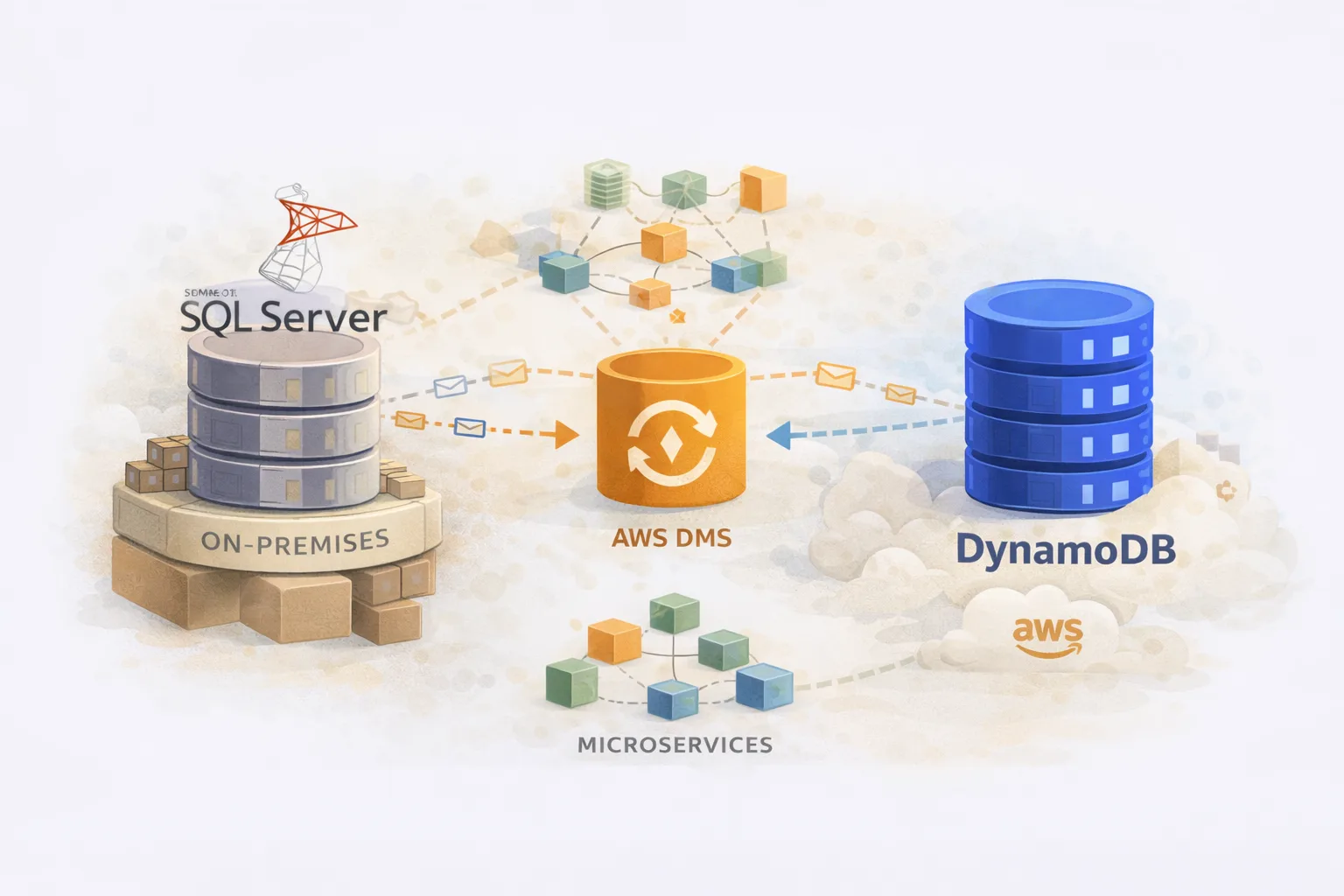
Migrating Event Store Data from SQL Server and Oracle to DynamoDB with AWS DMS
At a large company with 500+ microservices, we had a common pattern: event sourcing. Services would append events to SQL Server or Oracle tables, building up an audit trail of every state change. The problem? These tables grew massive – hundreds of millions of records – queries slowed down, and the on-prem databases became bottlenecks.
The solution was migrating event data to DynamoDB – purpose-built for high-throughput, append-heavy workloads with predictable latency at any scale.
I was a Senior Platform Engineer supporting the DBA team on this migration. My role was building the DMS infrastructure in Terraform, designing the replication pipelines, and making sure we could migrate hundreds of millions of records without impacting production.
This post covers the technical implementation – the Terraform modules, the DMS configuration, the tricks we used to parallelise migrations, and the lessons learned.

The Migration Architecture
We had two main migration paths:
- SQL Server → DynamoDB: Order service events (e-commerce domain)
- Oracle → DynamoDB: Customer authentication data
Both used AWS Database Migration Service (DMS) with a key architectural decision: database views as the migration source.
┌─────────────────────┐
│   SQL Server        │
│   (on-prem)         │
│                     │
│  ┌───────────────┐  │
│  │ Source Tables │  │
│  └───────┬───────┘  │
│          │          │
│  ┌───────▼───────┐  │
│  │  Migration    │  │     ┌─────────────────┐     ┌─────────────────┐
│  │  View (VW)    │──────►│  DMS Instance   │────►│   DynamoDB      │
│  └───────────────┘  │     │  (replication)  │     │   (target)      │
└─────────────────────┘     └─────────────────┘     └─────────────────┘
                                    │
                            Partitioned by ID range
                            (parallel tasks)
Why Views Instead of Tables?
DMS can migrate tables directly, but we used views for several reasons:
- Pre-transformation: The view transforms SQL data into DynamoDB’s PK/SK format before DMS touches it
- Column filtering: Exclude columns that shouldn’t migrate
- Data enrichment: Join related tables to denormalise
- Partitioning: Add computed columns for range filtering
The DBAs created views like vw_Dynamodbmigration that did the heavy lifting:
-- Simplified example of the migration view
CREATE VIEW dbo.vw_Dynamodbmigration AS
SELECT
    Id,
    CONCAT('agg#', AggregateId) AS PK,
    CONCAT('evt#', CONVERT(VARCHAR, EventTimestamp, 126)) AS SK,
    'event' AS itemtype,
    Version AS Ver,
    ConversationId AS ConvId,
    CONVERT(VARCHAR, CreatedAt, 126) AS created,
    EventData AS itemdata,
    DATEDIFF(SECOND, '1970-01-01', DATEADD(YEAR, 7, CreatedAt)) AS expiry,
    1 AS Migrated
FROM dbo.OrderEvents;
This meant DMS saw clean, DynamoDB-ready data. No complex transformation rules in DMS itself.
Terraform Infrastructure
Core Module Structure
dms-migration/
├── main.tf              # Provider, context module
├── endpoints.tf         # Source and target endpoints
├── replication.tf       # DMS instance and tasks
├── secrets.tf           # Database credentials
├── task_settings.json   # DMS task configuration
└── mappings/
    ├── table_mappings1.json
    ├── table_mappings2.json
    ├── table_mappings3.json
    └── table_mappings4.json
Network and Security Setup
# main.tf
locals {
  tags            = module.context.tags
  vpc_id          = data.aws_vpc.vpc.id
  subnet_ids      = data.aws_subnets.private.ids
  security_groups = data.aws_security_groups.service.ids
  execution_role  = data.aws_iam_role.execution_role.arn
  dms_subnet_id   = aws_dms_replication_subnet_group.dms_subnet_group.id
}

data "aws_vpc" "vpc" {
  tags = {
    Name = "vpc-${module.context.environment}"
  }
}

data "aws_subnets" "private" {
  filter {
    name   = "vpc-id"
    values = [data.aws_vpc.vpc.id]
  }
  filter {
    name   = "tag:Name"
    values = ["sn-${module.context.environment}-*-private*"]
  }
}

data "aws_security_groups" "service" {
  filter {
    name   = "vpc-id"
    values = [data.aws_vpc.vpc.id]
  }
  tags = {
    Type = "custom"
    Role = module.context.component_name
  }
}

# DMS needs a subnet group spanning multiple AZs
resource "aws_dms_replication_subnet_group" "dms_subnet_group" {
  replication_subnet_group_description = "DMS replication subnet group"
  replication_subnet_group_id          = "dms-sn-${module.context.environment}-${module.context.component_name}"
  subnet_ids                           = local.subnet_ids
}
Secrets Management (The Right Way)
The initial approach from the DBAs looked like this:
# ❌ What the DBAs initially did - DON'T DO THIS
resource "random_password" "db_password" {
  length           = 24
  special          = true
  override_special = "!#$%&'()*+,-.:<=>?[\\]^_`{|}~"
}

resource "aws_secretsmanager_secret_version" "db_credentials" {
  secret_id     = aws_secretsmanager_secret.db_credentials.id
  secret_string = random_password.db_password.result
}
I had to flag this in code review. The problem: Terraform stores the password in state. Even though the state file is encrypted at rest, the secret is still visible in plaintext to anyone with state access. It also appears in plan output, logs, and CI/CD pipelines.
Two solutions I proposed:
Option 1: SOPS encryption
Encrypt secrets with SOPS before committing, decrypt at apply time. Works well but adds tooling complexity.
Option 2: Bootstrap manually, read with data block ✅ (what we chose)
Create the secret once manually (or via a separate bootstrap script), then reference it in Terraform:
# ✅ The correct approach - secret exists outside Terraform
# Bootstrap step (run once, outside Terraform):
# aws secretsmanager create-secret \
#   --name "prod-ordersvc-dms-credentials" \
#   --secret-string '{"username":"DMSMigrationUser","password":"<secure-password>"}'

# Then in Terraform, just read it:
data "aws_secretsmanager_secret" "db_credentials" {
  name = "${local.env}-${local.service_name}-dms-credentials"
}

data "aws_secretsmanager_secret_version" "db_credentials" {
  secret_id = data.aws_secretsmanager_secret.db_credentials.id
}

locals {
  db_creds = jsondecode(data.aws_secretsmanager_secret_version.db_credentials.secret_string)
}

# Use in endpoint
resource "aws_dms_endpoint" "source" {
  # ...
  username = local.db_creds["username"]
  password = local.db_creds["password"]
}
We went with Option 2. The bootstrap is a one-time operation – the DBA creates the secret manually in Secrets Manager (or via a separate privileged pipeline), and Terraform only ever reads it. The password never touches Terraform state.
For the bootstrap, I gave the DBAs a simple script:
#!/bin/bash
# bootstrap-dms-secret.sh
# Run once per environment to create the DMS credentials secret

ENV=${1:-sandbox}
SERVICE=${2:-ordersvc}
SECRET_NAME="${ENV}-${SERVICE}-dms-credentials"

# Prompt for credentials (don't pass as arguments - they'd appear in shell history)
read -p "DMS Username: " DMS_USER
read -sp "DMS Password: " DMS_PASS
echo

aws secretsmanager create-secret \
  --name "$SECRET_NAME" \
  --description "DMS migration credentials for ${SERVICE} in ${ENV}" \
  --secret-string "{\"username\":\"${DMS_USER}\",\"password\":\"${DMS_PASS}\"}"

echo "✅ Secret created: $SECRET_NAME"
This keeps secrets out of version control, out of Terraform state, and out of CI/CD logs.
SQL Server Source Endpoint
# endpoints.tf
locals {
  env             = module.context.environment
  source_instance = "prod"
  service_name    = "ordersvc"
  source_server   = "10.251.6.91"          # On-prem SQL Server IP
  source_db       = "ECommerce_Order"
  source_engine   = "sqlserver"
  source_port     = 1433
  source_login    = "DMSMigrationUser"
}

resource "aws_dms_endpoint" "source" {
  endpoint_id   = "${local.env}-${local.source_instance}-source-${local.source_engine}-dms-endpoint"
  endpoint_type = "source"
  engine_name   = local.source_engine

  server_name   = local.source_server
  port          = local.source_port
  database_name = local.source_db
  username      = local.db_creds["username"]
  password      = local.db_creds["password"]

  ssl_mode      = "none"  # Internal network, SSL handled at network layer
}
Oracle Source Endpoint
For Oracle migrations, the configuration differs slightly:
resource "aws_dms_endpoint" "oracle_source" {
  endpoint_id   = "source-dms-${module.context.environment}-${local.source_instance}-${module.context.component_name}"
  endpoint_type = "source"
  engine_name   = "oracle"

  server_name   = "oracle-prod.internal.example.com"
  port          = 1521
  database_name = "ORCL"
  username      = "dms_user"
  password      = aws_secretsmanager_secret_version.oracle_credentials.secret_string

  ssl_mode      = "none"

  # Oracle-specific: Use Binary Reader instead of LogMiner for better performance
  extra_connection_attributes = "useLogMinerReader=N;useBfile=Y"
}
The useLogMinerReader=N;useBfile=Y setting is important for Oracle – Binary Reader is faster and has fewer permission requirements than LogMiner.
DynamoDB Target Endpoint
locals {
  target_engine   = "dynamodb"
  dms_service_role = "arn:aws:iam::123456789012:role/dms-dynamodb-access-role"
}

resource "aws_dms_endpoint" "target" {
  endpoint_id         = "${local.env}-${local.target_instance}-target-${local.target_engine}-dms-endpoint"
  endpoint_type       = "target"
  engine_name         = local.target_engine

  # DynamoDB doesn't use connection strings – it uses IAM
  service_access_role = local.dms_service_role
}
The IAM role needs permissions to write to the target DynamoDB table:
{
  "Version": "2012-10-17",
  "Statement": [
    {
      "Effect": "Allow",
      "Action": [
        "dynamodb:PutItem",
        "dynamodb:CreateTable",
        "dynamodb:DescribeTable",
        "dynamodb:DeleteItem",
        "dynamodb:UpdateItem",
        "dynamodb:BatchWriteItem"
      ],
      "Resource": "arn:aws:iam::123456789012:table/order-events-*"
    }
  ]
}
Replication Instance
resource "aws_dms_replication_instance" "main" {
  replication_instance_id      = "${local.env}-${local.service_name}-repl-instance"
  replication_instance_class   = "dms.t3.medium"  # Size based on data volume
  allocated_storage            = 50

  engine_version               = "3.5.2"
  multi_az                     = false            # Single AZ for cost, enable for prod
  publicly_accessible          = false

  vpc_security_group_ids       = local.security_groups
  replication_subnet_group_id  = local.dms_subnet_id

  apply_immediately            = true
  auto_minor_version_upgrade   = true
  preferred_maintenance_window = "sun:10:30-sun:14:30"
}
Instance sizing guidelines:
- dms.t3.medium: < 100GB, low throughput
- dms.r5.large: 100GB–1TB, medium throughput
- dms.r5.2xlarge: 1TB+, high throughput or many parallel tasks
Partitioned Replication Tasks
Here’s the key insight: migrating hundreds of millions of records in a single task is slow. We split the migration into parallel tasks by ID range.
resource "aws_dms_replication_task" "migration" {
  count = 4  # Four parallel tasks

  replication_task_id       = "${local.source_instance}-${local.service_name}-repl-task-${count.index + 1}"
  migration_type            = "full-load"

  replication_instance_arn  = aws_dms_replication_instance.main.replication_instance_arn
  source_endpoint_arn       = aws_dms_endpoint.source.endpoint_arn
  target_endpoint_arn       = aws_dms_endpoint.target.endpoint_arn

  replication_task_settings = file("task_settings.json")
  table_mappings            = file("mappings/table_mappings${count.index + 1}.json")
}
Each task has its own table mapping file with a different ID range filter:
mappings/table_mappings1.json (IDs 1–100M)
{
  "rules": [
    {
      "rule-type": "selection",
      "rule-id": "1",
      "rule-name": "select-events-range-1",
      "object-locator": {
        "schema-name": "dbo",
        "table-name": "vw_Dynamodbmigration",
        "table-type": "view"
      },
      "rule-action": "include",
      "filters": [
        {
          "filter-type": "source",
          "column-name": "Id",
          "filter-conditions": [
            {
              "filter-operator": "between",
              "start-value": "1",
              "end-value": "100000000"
            }
          ]
        }
      ]
    },
    {
      "rule-type": "object-mapping",
      "rule-id": "2",
      "rule-name": "map-to-dynamodb",
      "rule-action": "map-record-to-record",
      "object-locator": {
        "schema-name": "dbo",
        "table-name": "vw_Dynamodbmigration",
        "table-type": "view"
      },
      "target-table-name": "order-events-prod",
      "mapping-parameters": {
        "partition-key-name": "PK",
        "sort-key-name": "SK",
        "exclude-columns": ["Id"],
        "attribute-mappings": [
          {
            "target-attribute-name": "PK",
            "attribute-type": "scalar",
            "attribute-sub-type": "string",
            "value": "agg#${PK}"
          },
          {
            "target-attribute-name": "SK",
            "attribute-type": "scalar",
            "attribute-sub-type": "string",
            "value": "${SK}"
          },
          {
            "target-attribute-name": "itemtype",
            "attribute-type": "scalar",
            "attribute-sub-type": "string",
            "value": "${itemtype}"
          },
          {
            "target-attribute-name": "Ver",
            "attribute-type": "scalar",
            "attribute-sub-type": "number",
            "value": "${Ver}"
          },
          {
            "target-attribute-name": "ConvId",
            "attribute-type": "scalar",
            "attribute-sub-type": "string",
            "value": "${ConvId}"
          },
          {
            "target-attribute-name": "created",
            "attribute-type": "scalar",
            "attribute-sub-type": "string",
            "value": "${created}"
          },
          {
            "target-attribute-name": "itemdata",
            "attribute-type": "scalar",
            "attribute-sub-type": "string",
            "value": "${itemdata}"
          },
          {
            "target-attribute-name": "expiry",
            "attribute-type": "scalar",
            "attribute-sub-type": "number",
            "value": "${expiry}"
          },
          {
            "target-attribute-name": "Migrated",
            "attribute-type": "scalar",
            "attribute-sub-type": "number",
            "value": "${Migrated}"
          }
        ]
      }
    }
  ]
}
mappings/table_mappings2.json (IDs 100M–200M)
Same structure, different filter:
"filter-conditions": [
  {
    "filter-operator": "between",
    "start-value": "100000001",
    "end-value": "200000000"
  }
]
And so on for tasks 3 and 4. This gave us 4x parallelism on the source database.
Task Settings
The task_settings.json controls DMS behaviour:
{
  "Logging": {
    "EnableLogging": true,
    "EnableLogContext": true,
    "LogComponents": [
      {"Severity": "LOGGER_SEVERITY_DEFAULT", "Id": "TRANSFORMATION"},
      {"Severity": "LOGGER_SEVERITY_DEFAULT", "Id": "SOURCE_UNLOAD"},
      {"Severity": "LOGGER_SEVERITY_DEFAULT", "Id": "TARGET_LOAD"},
      {"Severity": "LOGGER_SEVERITY_DEFAULT", "Id": "SOURCE_CAPTURE"},
      {"Severity": "LOGGER_SEVERITY_DEFAULT", "Id": "TARGET_APPLY"},
      {"Severity": "LOGGER_SEVERITY_DEFAULT", "Id": "TASK_MANAGER"}
    ]
  },
  "FullLoadSettings": {
    "CommitRate": 10000,
    "MaxFullLoadSubTasks": 8,
    "TransactionConsistencyTimeout": 600,
    "TargetTablePrepMode": "DO_NOTHING"
  },
  "TargetMetadata": {
    "SupportLobs": true,
    "LimitedSizeLobMode": true,
    "LobMaxSize": 32,
    "ParallelLoadThreads": 10,
    "ParallelLoadBufferSize": 100
  },
  "ErrorBehavior": {
    "DataErrorPolicy": "LOG_ERROR",
    "DataErrorEscalationPolicy": "SUSPEND_TABLE",
    "TableErrorPolicy": "SUSPEND_TABLE",
    "TableErrorEscalationPolicy": "STOP_TASK",
    "ApplyErrorInsertPolicy": "LOG_ERROR",
    "ApplyErrorUpdatePolicy": "LOG_ERROR",
    "ApplyErrorDeletePolicy": "IGNORE_RECORD",
    "FullLoadIgnoreConflicts": true,
    "FailOnNoTablesCaptured": true
  },
  "ChangeProcessingTuning": {
    "CommitTimeout": 1,
    "BatchApplyMemoryLimit": 500,
    "MemoryLimitTotal": 1024,
    "MemoryKeepTime": 60,
    "StatementCacheSize": 50
  }
}
Key settings explained:
| Setting | Value | Why |
|---|---|---|
CommitRate | 10000 | Batch size for commits – higher = faster but more memory |
MaxFullLoadSubTasks | 8 | Parallel threads within each task |
ParallelLoadThreads | 10 | Target-side parallelism |
TargetTablePrepMode | DO_NOTHING | Don’t drop/recreate DynamoDB table |
FullLoadIgnoreConflicts | true | Skip duplicate key errors (idempotent) |
LimitedSizeLobMode | true | Handle large text/blob columns efficiently |
Customer Password Migration (Oracle → DynamoDB)
A separate migration handled customer authentication data from Oracle:
locals {
  cpm_source_instance      = "oracle-prod"
  cpm_destination_instance = "auth-service"
  cpm_port                 = 1521
}

resource "aws_dms_endpoint" "cpm_source" {
  endpoint_id                 = "source-dms-${module.context.environment}-oracle-${module.context.component_name}"
  endpoint_type               = "source"
  engine_name                 = "oracle"

  server_name                 = "oracle.internal.example.com"
  port                        = local.cpm_port
  database_name               = "AUTH_DB"
  username                    = "dms_user"
  password                    = aws_secretsmanager_secret_version.cpm.secret_string

  ssl_mode                    = "none"
  extra_connection_attributes = "useLogMinerReader=N;useBfile=Y"
}

resource "aws_dms_endpoint" "cpm_target" {
  endpoint_id         = "destination-dms-${module.context.environment}-dynamodb-${module.context.component_name}"
  endpoint_type       = "target"
  engine_name         = "dynamodb"
  service_access_role = local.execution_role
}

resource "aws_dms_replication_task" "cpm_task" {
  migration_type            = "full-load"
  replication_task_id       = "replication-task-${module.context.environment}-oracle-${module.context.component_name}"

  replication_instance_arn  = aws_dms_replication_instance.cpm.replication_instance_arn
  source_endpoint_arn       = aws_dms_endpoint.cpm_source.endpoint_arn
  target_endpoint_arn       = aws_dms_endpoint.cpm_target.endpoint_arn

  replication_task_settings = file("task-settings/customer-migration.json")
  table_mappings            = file("mappings/customer-password-migration.json")
}
The mapping for this was simpler – just a partition key, no sort key:
{
  "rules": [
    {
      "rule-type": "selection",
      "rule-id": "1",
      "rule-name": "select-customer-passwords",
      "object-locator": {
        "schema-name": "AUTH",
        "table-name": "CUSTOMER_PASSWORD_MIGRATION_VW",
        "table-type": "view"
      },
      "rule-action": "include"
    },
    {
      "rule-type": "object-mapping",
      "rule-id": "2",
      "rule-name": "map-to-dynamodb",
      "rule-action": "map-record-to-record",
      "object-locator": {
        "schema-name": "AUTH",
        "table-name": "CUSTOMER_PASSWORD_MIGRATION_VW",
        "table-type": "view"
      },
      "target-table-name": "customer-credentials-prod",
      "mapping-parameters": {
        "partition-key-name": "PK",
        "attribute-mappings": [
          {
            "target-attribute-name": "PK",
            "attribute-type": "scalar",
            "attribute-sub-type": "string",
            "value": "${PK}"
          }
        ]
      }
    }
  ]
}
Running the Migration
Sandbox Testing First
We always tested in a sandbox environment before production:
# Deploy to sandbox
cd environments/sandbox
terraform init
terraform plan
terraform apply

# Monitor in AWS Console
# DMS → Database migration tasks → Select task → Table statistics
Monitoring During Migration
DMS provides CloudWatch metrics. Key ones to watch:
CDCLatencySource      # Lag behind source (for CDC migrations)
CDCLatencyTarget      # Time to apply changes to target
FullLoadThroughputBandwidthTarget  # MB/s to target
FullLoadThroughputRowsTarget       # Rows/s to target
We set up CloudWatch alarms:
resource "aws_cloudwatch_metric_alarm" "dms_task_failed" {
  alarm_name          = "dms-task-failed-${local.service_name}"
  comparison_operator = "GreaterThanThreshold"
  evaluation_periods  = 1
  metric_name         = "TaskStatus"
  namespace           = "AWS/DMS"
  period              = 60
  statistic           = "Maximum"
  threshold           = 0
  alarm_description   = "DMS task has failed"

  dimensions = {
    ReplicationInstanceIdentifier = aws_dms_replication_instance.main.replication_instance_id
    ReplicationTaskIdentifier     = aws_dms_replication_task.migration[0].replication_task_id
  }

  alarm_actions = [aws_sns_topic.alerts.arn]
}
Production Cutover
The cutover process:
- Stop application writes to source database
- Wait for DMS tasks to complete (status = “Load complete”)
- Validate row counts – source view vs DynamoDB item count
- Switch application to read from DynamoDB
- Monitor for errors, latency, throughput
- Decommission DMS resources after stability period
# Check task status
aws dms describe-replication-tasks \
  --filters Name=replication-task-id,Values=prod-ordersvc-repl-task-1 \
  --query 'ReplicationTasks[0].Status'

# Get table statistics
aws dms describe-table-statistics \
  --replication-task-arn arn:aws:dms:eu-west-1:123456789012:task:XXX \
  --query 'TableStatistics[*].{Table:TableName,Inserts:Inserts,Updates:Updates,Deletes:Deletes,FullLoadRows:FullLoadRows}'
Problems We Hit
1. View Performance
The migration view initially did a full table scan on every DMS read. We added an index specifically for the migration:
CREATE INDEX IX_OrderEvents_Migration
ON dbo.OrderEvents (Id)
INCLUDE (AggregateId, EventTimestamp, Version, ConversationId, CreatedAt, EventData);
2. DynamoDB Throttling
Initial migrations hit write throttling. Solutions:
- Switch to on-demand capacity mode during migration
- Pre-warm the table with provisioned capacity before migration
- Reduce
CommitRatein task settings to slow down writes
3. LOB Column Handling
Large EventData columns (JSON blobs) caused issues. The fix was enabling LimitedSizeLobMode with an appropriate LobMaxSize:
"TargetMetadata": {
  "LimitedSizeLobMode": true,
  "LobMaxSize": 32  // KB - increase if you have larger blobs
}
4. Network Timeouts
On-prem to AWS connectivity over Direct Connect occasionally timed out. We increased DMS buffer settings:
"StreamBufferSettings": {
  "StreamBufferCount": 3,
  "StreamBufferSizeInMB": 8,
  "CtrlStreamBufferSizeInMB": 5
}
5. Duplicate Records
Running tasks multiple times (after failures) created duplicates. DynamoDB’s PutItem is idempotent for the same PK/SK, but we added a Migrated flag to track:
{
  "target-attribute-name": "Migrated",
  "attribute-type": "scalar",
  "attribute-sub-type": "number",
  "value": "1"
}
Lessons Learned
1. Views Are Your Friend
Pre-transforming data in database views is far easier than complex DMS transformation rules. The DBAs know SQL – let them handle the transformation.
2. Partition by ID Range
Parallel tasks dramatically speed up migration. We went from 48 hours to 12 hours by using 4 parallel tasks.
3. Test in Sandbox First
Always. Every time. We caught countless issues in sandbox that would have been production incidents.
4. DynamoDB On-Demand for Migrations
Provisioned capacity during migration means constant throttling adjustments. Switch to on-demand, migrate, then switch back if needed for cost.
5. Keep DMS Resources Separate
Don’t share replication instances across unrelated migrations. Isolation prevents one bad task from affecting others.
6. Log Everything
Enable all DMS logging components. When something fails at 3am, you’ll want those logs.
Summary
Migrating event store data from SQL Server and Oracle to DynamoDB required:
- Database views for pre-transformation
- Partitioned DMS tasks for parallelism
- Careful task settings for performance and error handling
- Terraform for reproducible infrastructure
- Sandbox testing before every production migration
The result: hundreds of millions of records migrated with minimal downtime, and services now reading from DynamoDB with single-digit millisecond latency instead of struggling with aging SQL Server instances.
Planning a DMS migration or hit issues I didn’t cover? Find me on LinkedIn.